AI Email & Calendar Assistant
Bring your messages, commitments and priorities into one connected view. Panzoe Inbox & Calendar is a personal AI assistant with calendar and email understanding built in: it connects Gmail and Outlook, merges them into one inbox sorted by what actually matters, drafts replies for you to review, reads your Google and Outlook calendars for conflicts and overload, and prepares you for every meeting — all grounded in your AI Brain.
Explore free · No card to sign up · 7-day full AI trial · Current prices in your selected currency on the pricing page
Email in two places. Calendar in a third. Priorities nowhere.
A work Outlook and a personal Gmail, each sorted by time instead of importance — so the message that matters sits under twelve newsletters.
Meetings arrive with no context. You open the invite two minutes before and scramble for the last email thread.
Double-bookings and back-to-back days only become obvious when it's too late to fix them.
Generic AI chat tools can write an email, but they can't see your inbox, your calendar or what you promised last week.
Understand, prepare, review, organise — in one connected view.
Every capability below is implemented in Panzoe today. Connections are optional; manual mode works without them.
One intelligent inbox
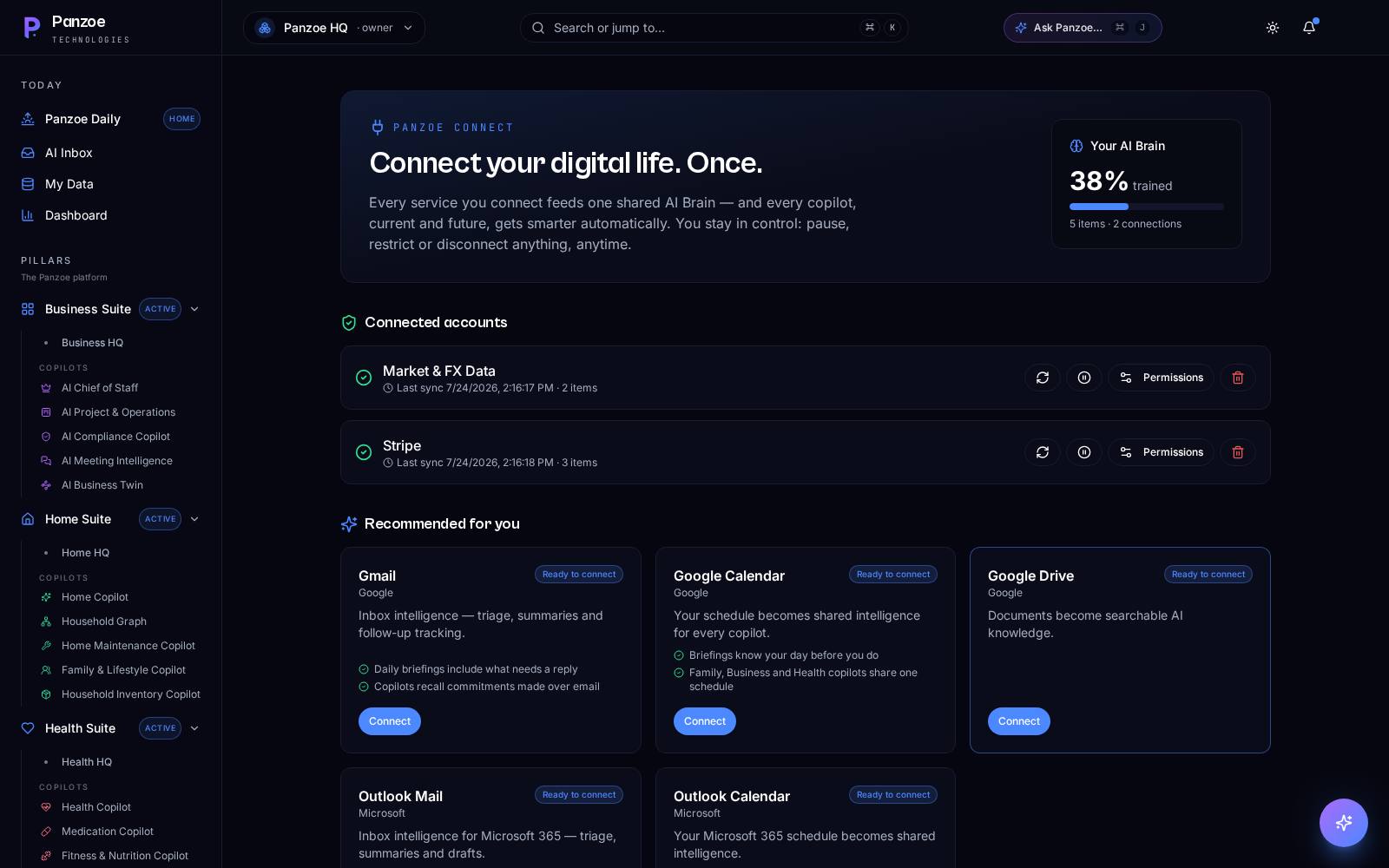
Connect Gmail, Outlook or both. Panzoe merges them and triages every message by what actually matters — not by time — and tells you when nothing needs you.
Summarise what needs a reply
Ask Panzoe to summarise your inbox and surface the messages that need a response, with the context behind each one.
Replies drafted, never sent for you
Panzoe drafts the reply in your voice and saves it to your email drafts folder. You review, edit and send. Nothing goes out without you.
A unified calendar
Google Calendar and Outlook Calendar in one view. Panzoe spots conflicts, overload and prep needs across your week.
Block focus time
One action blocks focus time on your real calendar so deep work actually gets protected.
One-click meeting prep
“Prepare me for my next meeting” gives you a 60-second pre-brief: who's attending, what's been said, what's open.
Transcript to decisions
Paste or upload a meeting transcript — Panzoe extracts the summary, decisions, actions and risks.
Grounded in your AI Brain
Replies and prep use what Panzoe already knows — your goals, projects, people and documents — so they're specific, not generic.
Secure OAuth, encrypted tokens
Connections run through Integration Hub with secure OAuth and encrypted tokens, read-only where possible. Panzoe never sees your passwords.
Ask Panzoe anything about your inbox or your week.
Because Inbox & Calendar shares the same AI Brain as Ask Panzoe, you can simply ask: “What did Sarah ask me to confirm?”, “Where am I overloaded this week?”, “Draft a polite decline for Thursday.” Answers come from your real messages and schedule.
Built for people whose day lives in email and meetings.
Walk into every meeting prepped, and keep promises made by email from slipping.
Two or three inboxes merged into one priority view; client replies drafted in your voice.
School, clubs and household admin triaged alongside work — one calendar, one view.
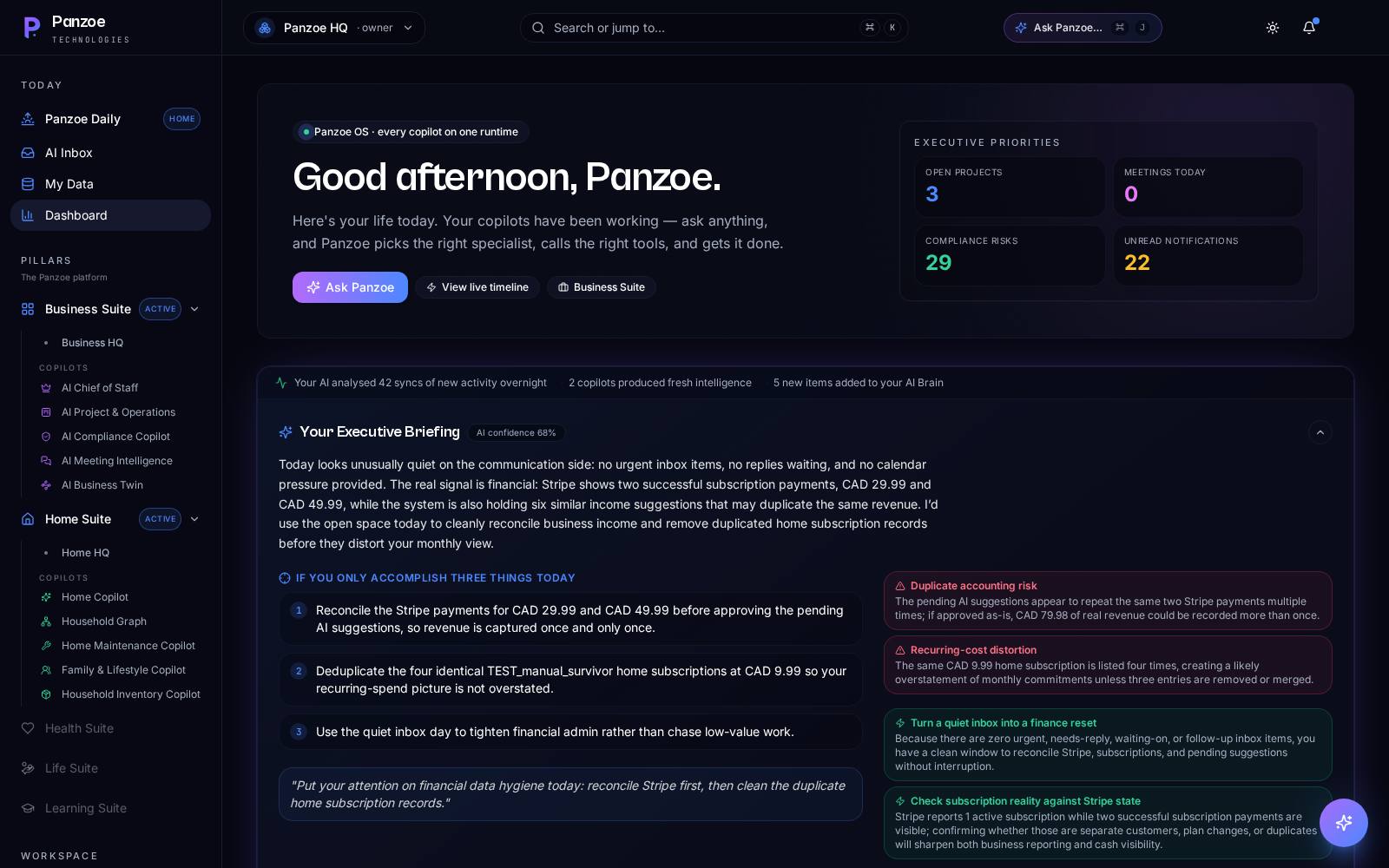
Pair with Panzoe Business so important business email signals surface in your Executive Briefing.
A concrete workflow, exactly as the product works today.
In Integration Hub, connect Gmail and/or Outlook plus Google Calendar or Outlook Calendar — secure OAuth, a few clicks.
Open Inbox & Calendar. Both inboxes are merged and sorted by what matters; the week's conflicts and overload are flagged.
Ask Panzoe to summarise what needs a reply, then approve a drafted response — it lands in your drafts folder for you to send.
Tap “Prepare me for my next meeting” for a 60-second pre-brief drawn from your emails, calendar and AI Brain.
Block focus time on your calendar, then let your Daily Briefing carry today's commitments into tomorrow.
An AI assistant that connects Gmail and Outlook — and knows your life.
Connected, not copy-pasted
Panzoe reads your real inbox and calendars through Integration Hub, so you never paste an email into a chat window again.
Review before anything moves
Drafts go to your drafts folder; focus blocks and prep are visible before you act. You stay in control.
One Brain across everything
The same memory powers your Daily Briefing, Ask Panzoe and specialist assistants, so context carries over.
Bank-grade security
Secure OAuth with encrypted tokens, GDPR and PIPEDA aligned. Your data is never used to train public models.
Questions, answered.
Which email and calendar services does Panzoe connect to?
Gmail and Google Calendar (Google Workspace) and Outlook mail and Outlook Calendar (Microsoft 365), through Integration Hub with secure OAuth. Google Drive, OneDrive, Notion and GitHub can also be connected for documents and context.
Does Panzoe send emails on my behalf?
No. Panzoe drafts replies and saves them to your email drafts folder. You review and send. Nothing is sent for you.
Can it manage both my work and personal email?
Yes. Connect Gmail, Outlook or both and Panzoe merges them into one intelligent inbox sorted by what matters.
How does meeting preparation work?
Panzoe reads your connected calendars, picks the next meeting with attendees and gives you a one-click pre-brief using your emails, calendar and AI Brain. You can also paste a transcript afterwards to extract decisions, actions and risks.
Do I have to connect anything to use Panzoe?
No. Manual mode works fully — add tasks, notes and plans directly. Connections make Inbox & Calendar and your Daily Briefing richer. Explore free, no card to sign up; full AI access starts with a 7-day free trial with prices shown in your selected currency on the pricing page.
Your inbox, your calendar, your priorities — finally in one view.
Explore Panzoe free today. Connect Gmail or Outlook when you're ready.