An AI writing assistant that writes like you — and remembers.
Start from a brief or a blank page. Panzoe Writing drafts emails, articles, business documents, letters and social posts, then helps you revise: shorter, more formal, more persuasive, plainer, or any instruction you type. Every change is a version you can return to, and finished pieces export or flow into Document AI, the Creator and your briefings.
Explore free · No card to sign up · 7-day full AI trial · Current prices in your selected currency on the pricing page
The blank page, the fourth rewrite, the lost better version.
Generic AI writers don't know your audience, your projects or how you actually sound.
Copy-pasting between a chatbot and a document loses formatting and history.
Each tweak is a gamble — there's no way back to the version that worked.
Email, blog, LinkedIn: three tools, three voices, one brand.
Brief, draft, revise, version, export.
Everything below ships in Panzoe Writing today.
Start with a brief
Say what it's for, who it's for, the tone and the length; Panzoe drafts a complete first version.
Formats that fit
Email, article, business document, report, social post, marketing copy, letter or creative piece.
AI Writer chat
Talk through what you want, paste notes or research and shape the draft conversationally.
Rewrite Studio
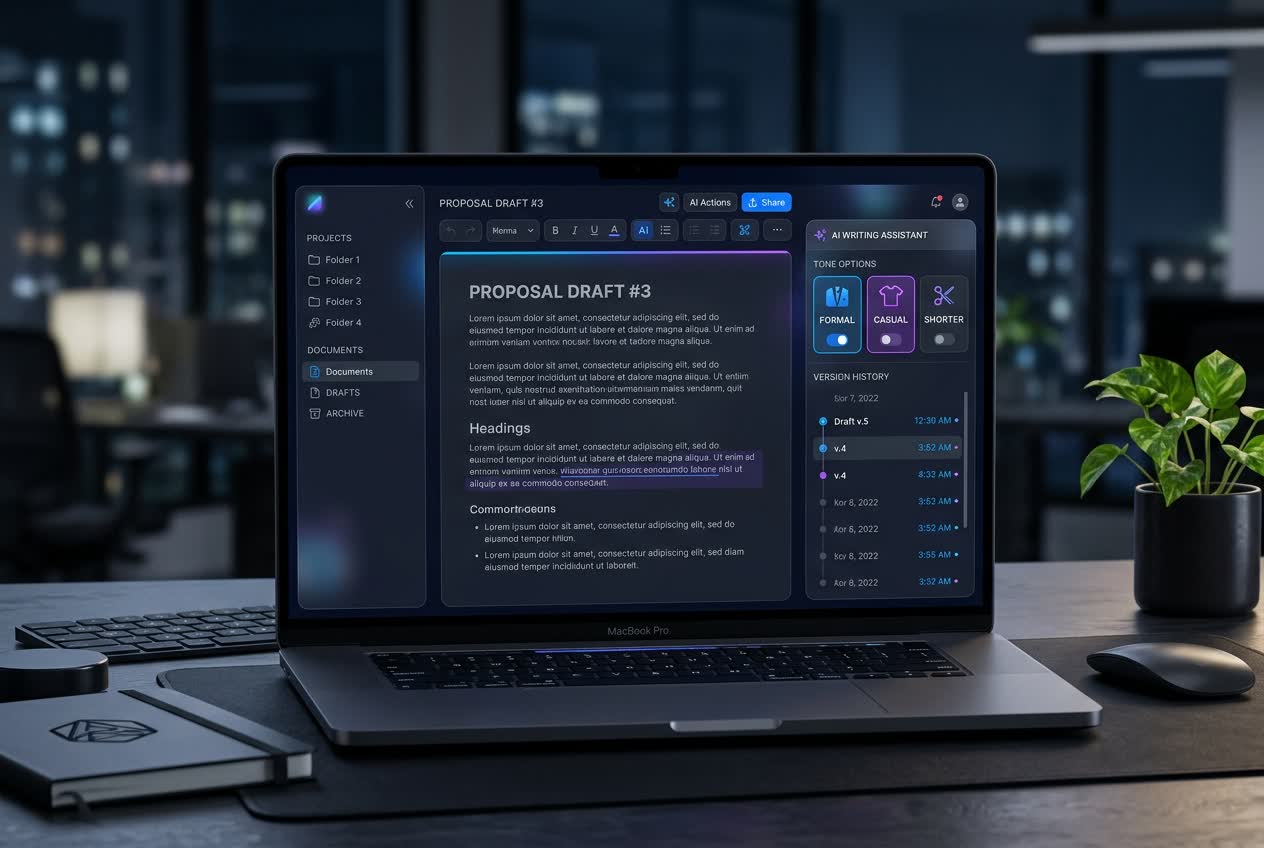
Generate variants side by side — shorter, formal, persuasive, casual, plain-language, LinkedIn, X or email — and pick one.
Improve & custom instructions
Tighten clarity and flow, or type your own instruction (“warmer close, keep the facts”) and apply it to the selection.
Versions, always
Every edit is saved as a new version; restore any earlier one.
Your context, your voice
Drafts use your AI Brain — projects, people, preferences — so they sound like you, not a template.
Export & hand off
Copy, export, read aloud with Voice Studio, or turn a draft into a real Word or PDF in Document AI.
What people write with Panzoe.
Client emails, proposals, updates and policies that sound considered, in minutes.
Articles, newsletters and platform-ready social posts from one idea.
Meeting follow-ups, reports and announcements grounded in what the business actually decided.
Essays with the Essay Assistant, and CV bullets and cover letters with the Resume Analyzer.
Not a text box — a writing workspace.
Knows your context
Shared memory means fewer explanations and better first drafts.
Revision with control
Named tone variants plus free-form instructions; you choose, nothing is overwritten.
Research-grounded
Pull a Deep Research report straight into a draft with citations intact.
One subscription
Writing, research, documents, images and voice share one plan and one AI Brain.
Questions, answered.
Is Panzoe an AI writer for emails?
Yes. Choose the Email format, describe the purpose and recipient, and Panzoe drafts it. The Rewrite Studio can then make it shorter, more formal or more persuasive.
Can it write long articles?
Yes — articles, reports and business documents are supported formats, and you can set the target length in the brief.
Will it sound like me?
Panzoe Writing uses your AI Brain context and your tone choices. For AI-sounding text you already have, see the AI Text Humanizer page.
Does it keep my drafts?
Every document and every version is saved in your workspace until you delete it.
Is there a free AI writing tool tier?
You can explore Panzoe free with no card; drafting uses your plan's AI actions and the 7-day trial includes full access.
Write the thing today.
Explore free. Your first drafts are included — upgrade only if Panzoe earns a place in your week.